
Create an Alexa skill help young professionals to find recipes and cook nutritious meals.
User personas, system personas, conversational design, Wizard of Oz testing
2 weeks, Feb 2020
Voiceflow, Alexa developer console, Figma
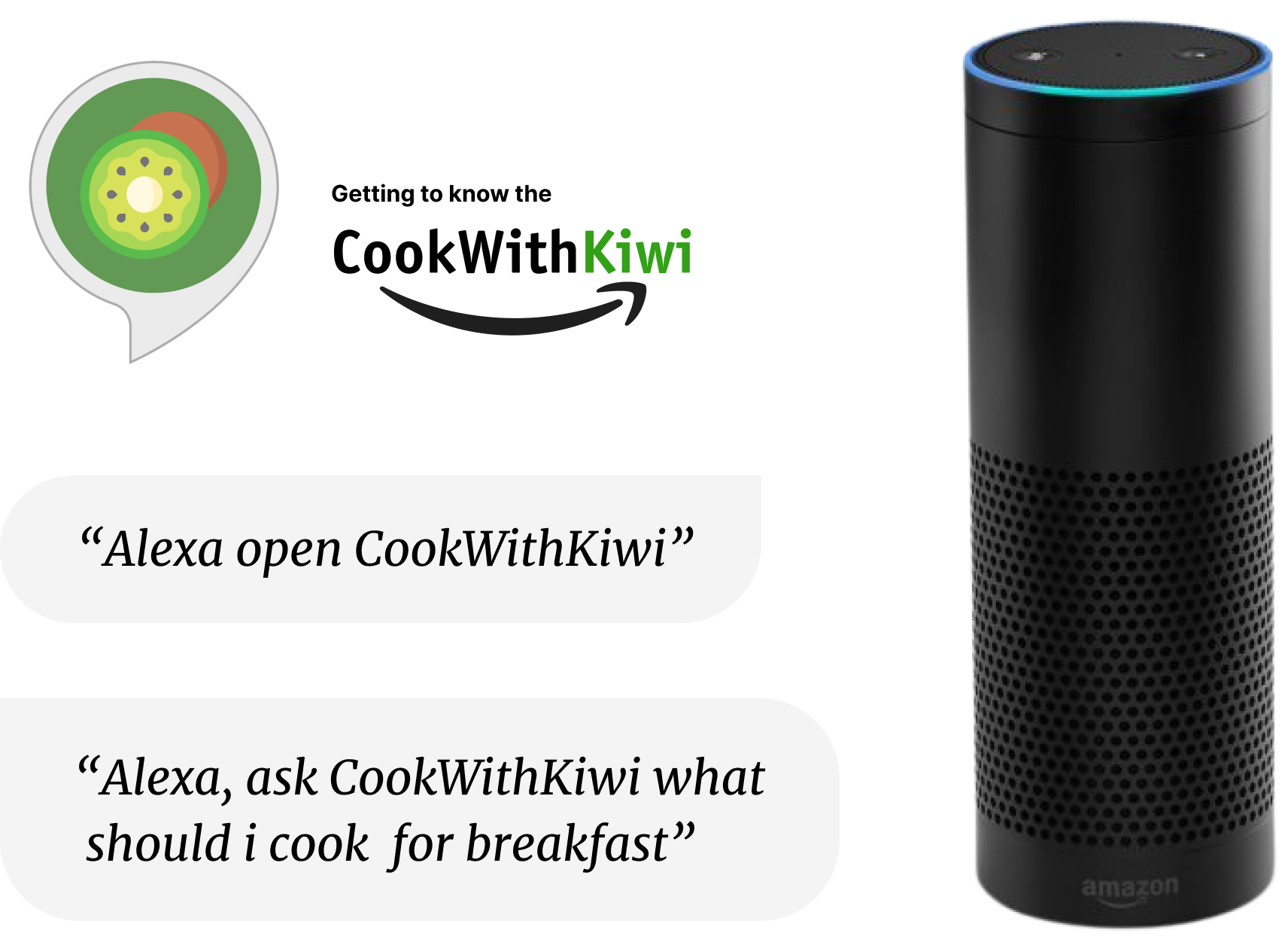
Although the Alexa skill is a study project in my Bootcamp that aims to design a voice app, I want to use this opportunity to solve a specific problem I observed in my life. Simply put, there is a need for easy way of cooking.
Since the pandemic, everyone has been spending more time at home, life becomes tough for everyone, especially people who live by themselves. Notice one of my friend who lives alone in Manchester struggle to cook herself, "I feel uninspired either motivated to cook from day to day" according to her words, made me decide to focus on solving this problem for her. However, this is not only a problem for my friend, people like me who self-titled as a passionate chef also feeling tired of preparing three meals every day, and a recent Quartz report points out the increased sales of prepared foods is related to the covid kitchen fatigue. The need for an easy way of cooking is real, and how should we go about to solve this problem? Now, let's go over the process together.
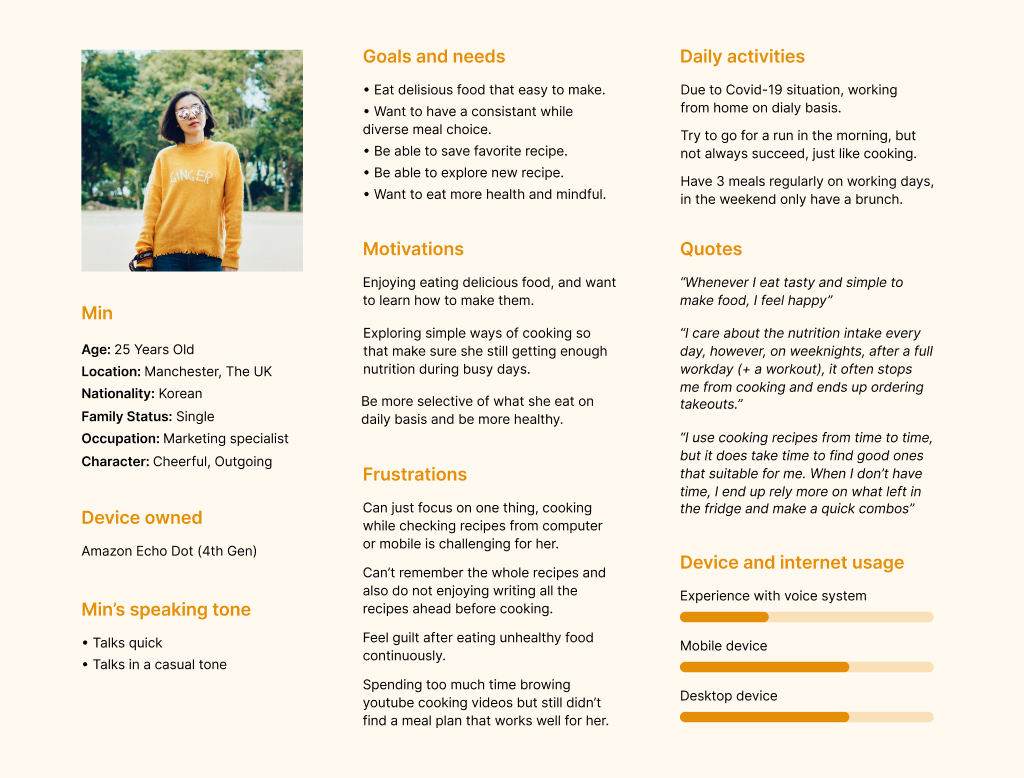
To build a user persona, i interviewed 3 of my friends in similar group to learn more about their cooking process and pain point when it regards to cooking. Based on my findings, I created the user persona Min.
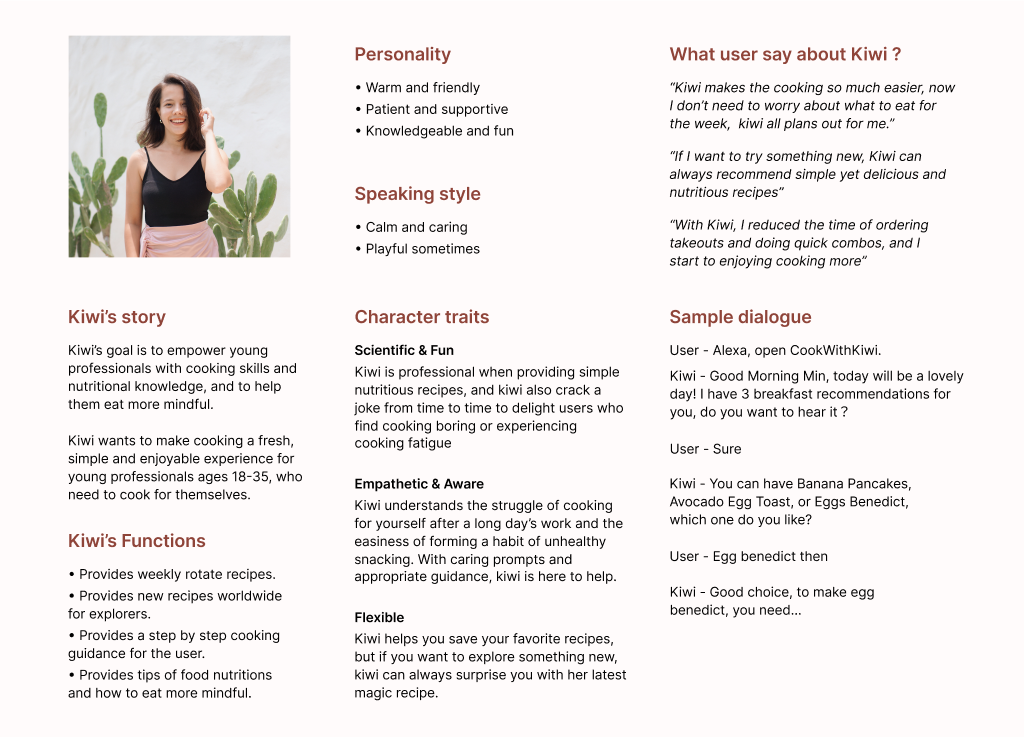
Human immediately attribute characteristics about a speaker based on the voice heard, this is also true with the voice assistant. To design for a specific group of users, I created a system persona that fit in our users preferences and expectations.
Based on the pain points and needs of potential users, I write up user stories and group them into intents (the development language for the things users want to accomplish), then selected a few intents that serve the basic function to build the structure of our voice interface, which also form the MVP of the recipe skill.
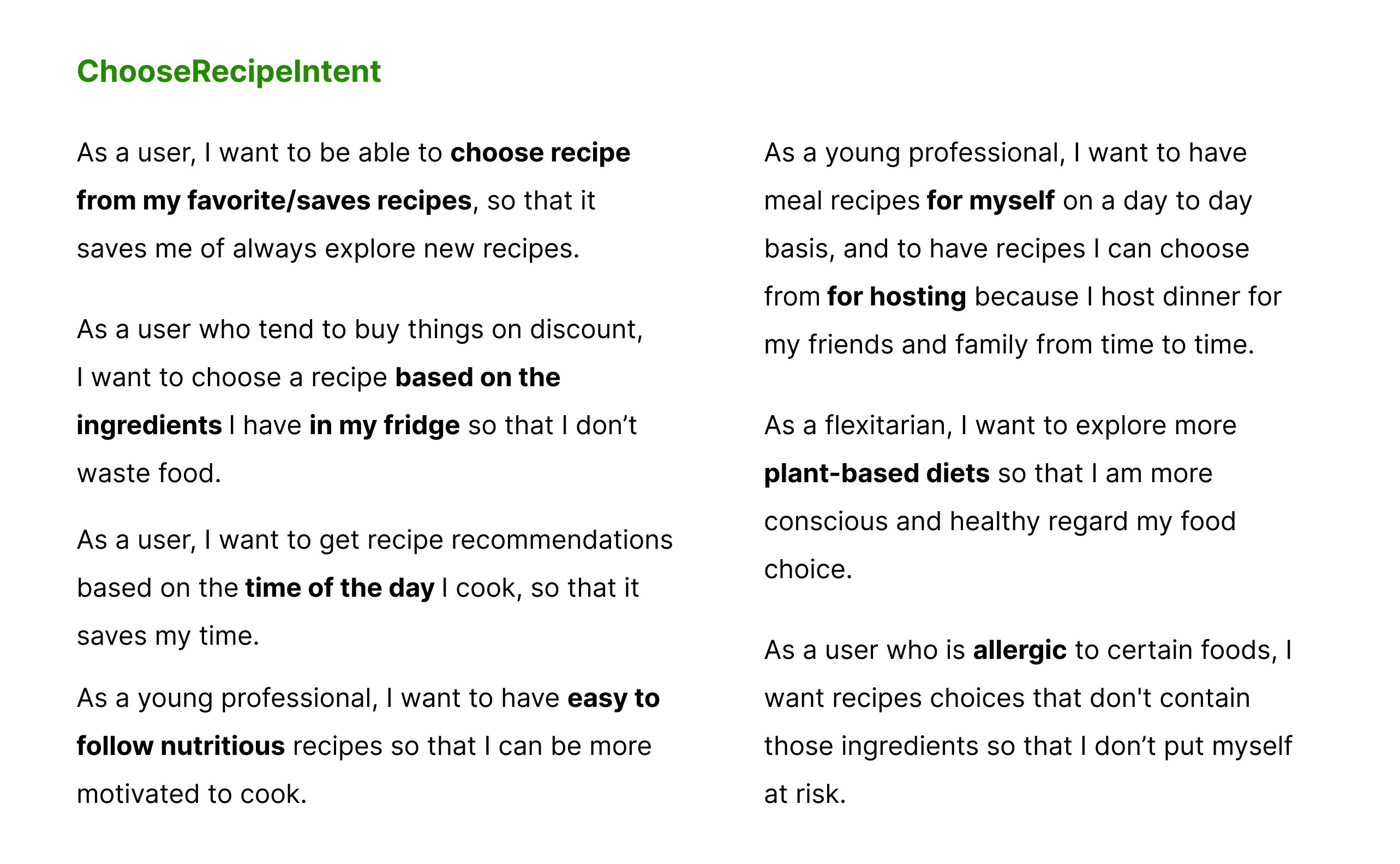
ChooseRecipeIntent is the most tricky one, and a user can go a million ways to choose a recipe, as the example above, a user might want to search a recipe by ingredients, by cuisine type, or they might have special requirements such as a vegan dish or nutritious recipes.
🤔 How can we narrow down the conversation and make the input effective?
😍 One solution is to prompt user based on the time of the day, I categorised all our recipes into breakfast, lunch, dinner and snack, as a safe option that can be useful for all.
So whenever users open CookWithKiwi, they will be prompt with ‘’the 4 type recipe choices’’. For example: “Hi, {username}, what are you looking for? Breakfast, lunch, dinner or snack ideas?”
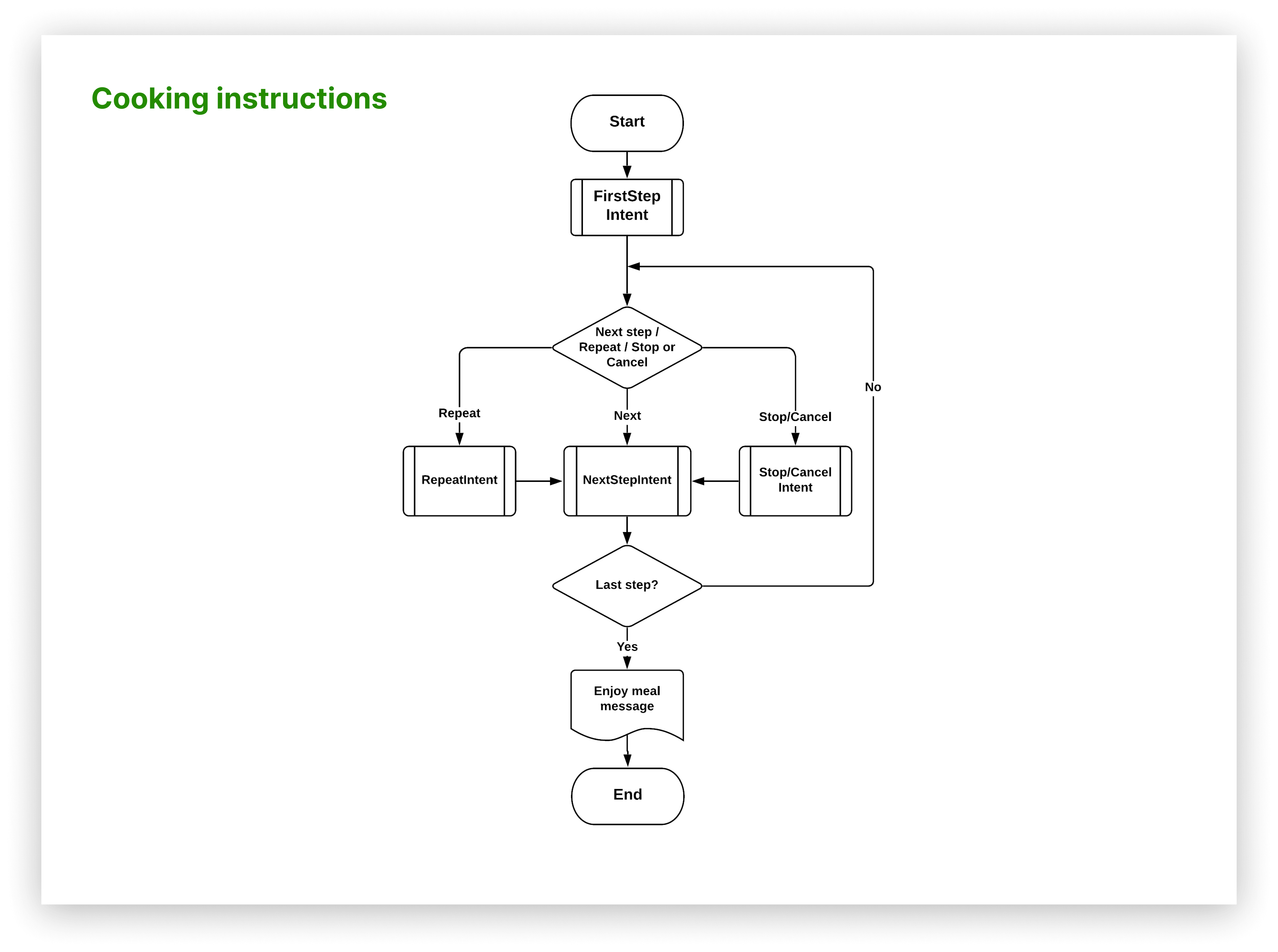
I map out the structure of the voice interface, display intents in flowchart format to visually see how all the intents are related to each other.
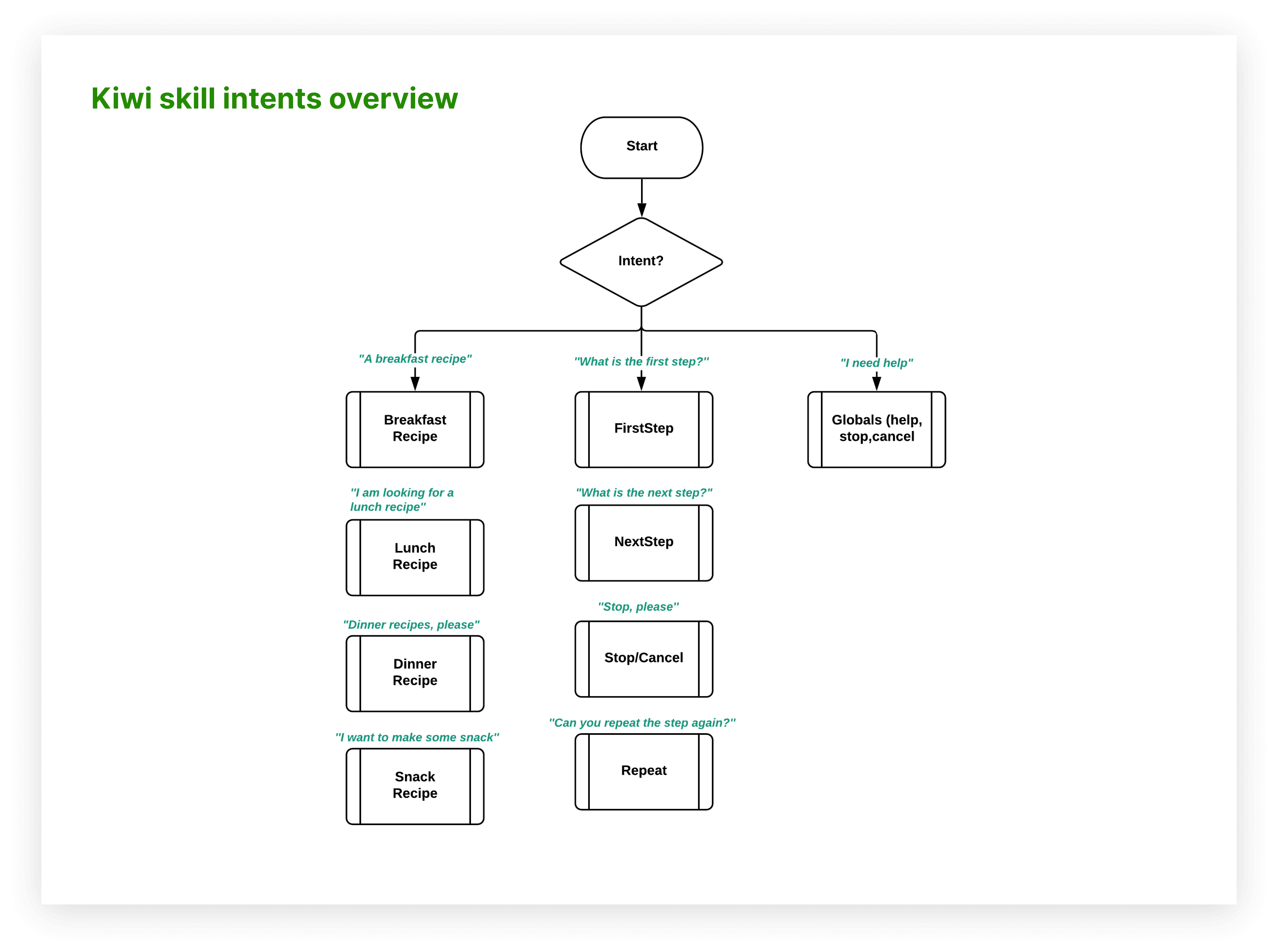
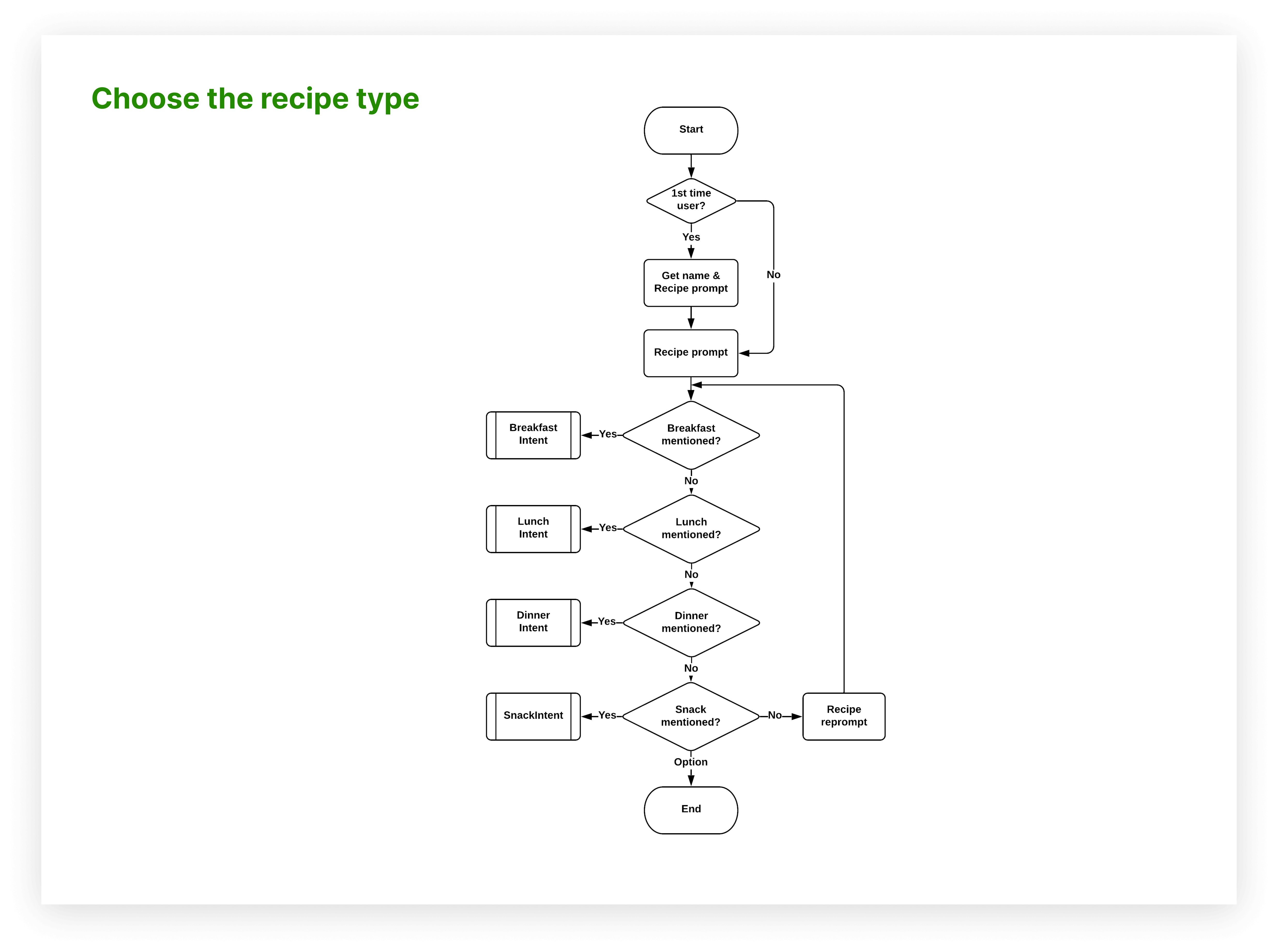
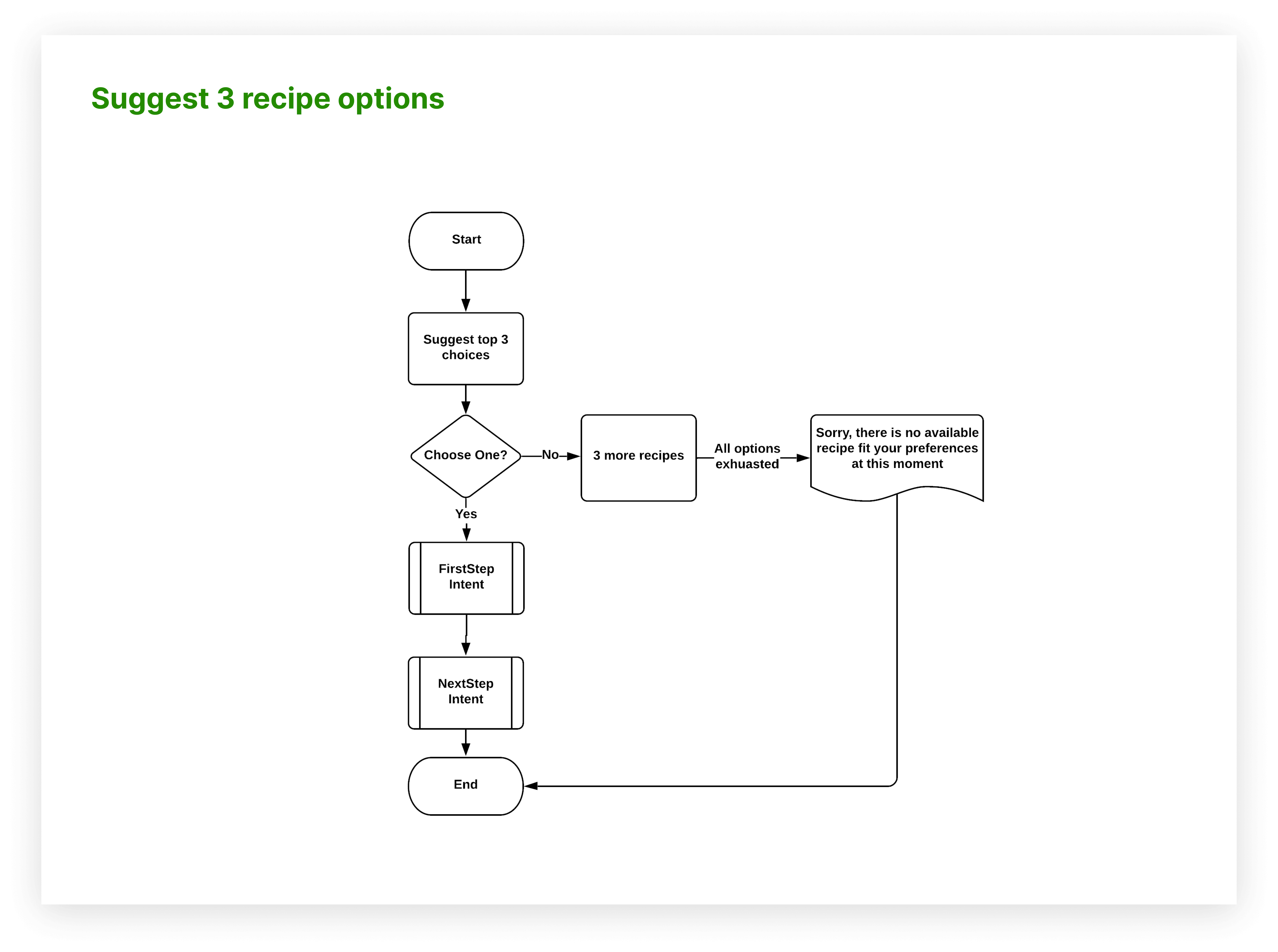
Before head into design conversation, I make sure I understand the best practices for voice design, and I summarised my learnings into the following tips to guide my voice script writing.
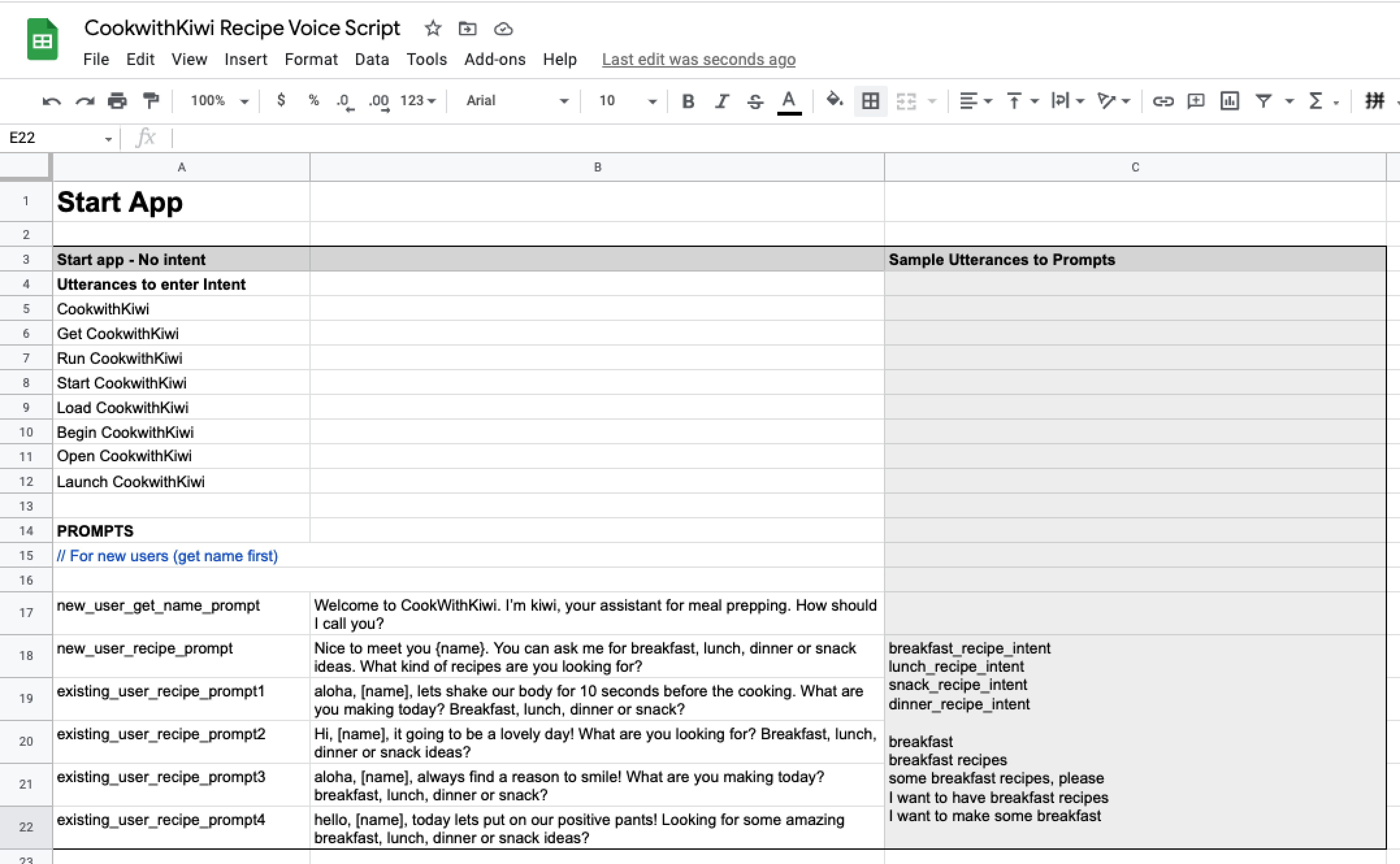
With the previous structure in mind, I then designed sample dialogs(lo-fi), to defined how Kiwi will respond to users intents. To add more variation, structure, and missing pieces to existing dialogs, I turn the sample dialogs into the voice scripts(mid/hi-fi), as it shows below. Check here for the complete scripts.
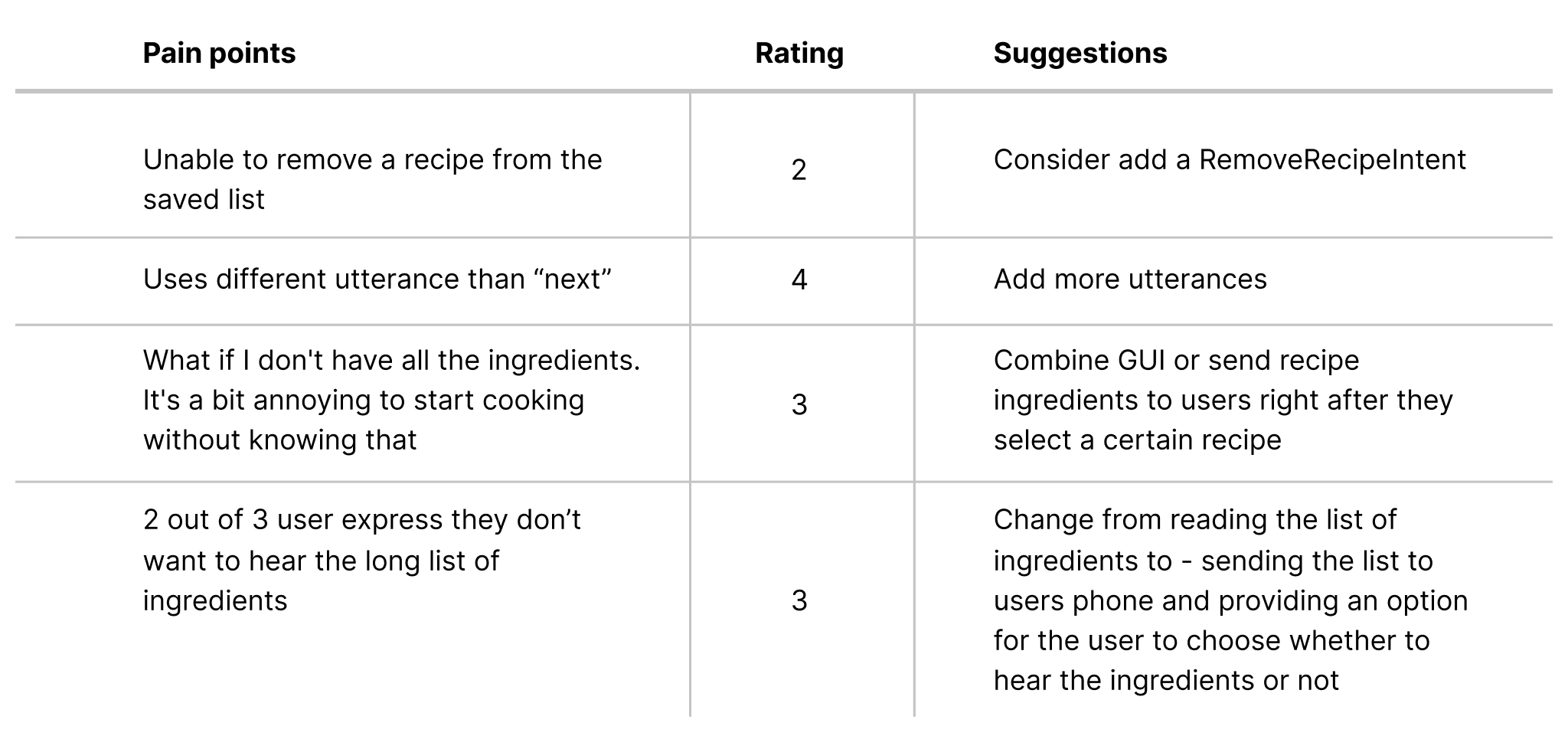
It is essential to see how other people interact with my voice prototype, and I conducted the Wizard of OZ usability testing with 3 users who have experience using voice assistant before. My goal of this is to test the usability of the skill, to spot any logic flaws or expression flaws, so that further improve the utility of my prototype. Following is the test report and the insights I got from my users.
Based on users feedback, I updated my design and this is the final demo of the CookWithKiwi. Two user flows covered in this demo are 1)Choose a recipe 2) Cook a recipe.
After the MVP has been launched and operating smoothly for a few months, considering adding the following over time:
1. Enlarge the sample recipes.
2. Enable multi search such as search a breakfast/lunch/dinner/snack recipe by ingredients. User can say, give me a breakfast recipe with eggs.
3. Introduce save recipe feature. Enable user to save their favorite recipe for future use.
*The suggestions made based on user needs at the beginning of the design process, however, we should keep iterating and updating based on the latest user needs. Further usability testing is needed after the MVP launch.
